New pilots often want to lift off quickly, but safe, confident drone flying starts with a few core concepts. The first sentence answers the search: learning how to fly a drone requires understanding your craft, running a preflight checklist, practicing basic maneuvers, and maintaining the aircraft. The balance between control and safety keeps flights enjoyable and legal.
Key Takeaways
- Learning how to fly a drone safely begins with understanding your drone’s controls and running a thorough preflight checklist.
- Beginner pilots should start with consumer quadcopters that offer stability and safety features like GPS and obstacle sensing.
- Always choose safe, open flight locations and check local regulations to ensure legal and risk-free flying.
- Practice basic maneuvers such as takeoff, hovering, and landing in calm conditions to build confidence and control.
- Use auto-flight modes and the Return-to-Home feature wisely by confirming settings before flight and maintaining line of sight.
- Regular maintenance and gradual skill progression, including logging flights, help improve drone flying proficiency and prevent issues.
Understanding Drone Types And Basic Controls
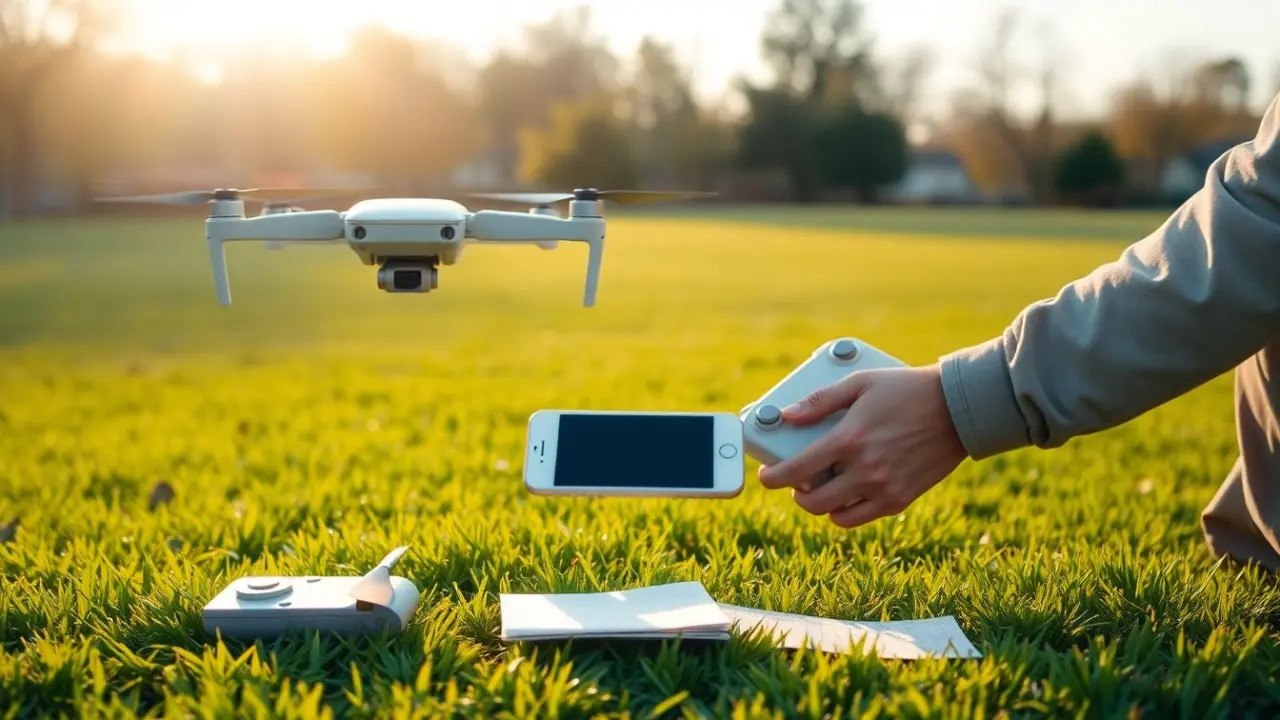
Drones come in a few common types: consumer camera quadcopters, racing models, and heavier professional platforms. Consumer quadcopters are the easiest for beginners because they have stable flight controllers and built-in safety features like GPS and obstacle sensing. Racing drones are agile but require manual control and practice: professional platforms carry heavier payloads and need more complex setup.
Basic controls map to four inputs: yaw (rotate left/right), pitch (tilt forward/back), roll (tilt left/right), and throttle (altitude). Most controllers place throttle and yaw on one stick and pitch and roll on the other, learning that split is fundamental. New pilots should enable beginner modes if available: they limit top speed, altitude, and distance while allowing hands-on practice without overwhelming the pilot.
Preflight Checklist: Setup, Firmware, And Safety
Before every flight, run a short checklist: charge batteries, inspect propellers and frame, confirm GPS lock, and verify firmware versions. Firmware and app updates often include safety fixes, update on the ground before flying, not mid-session. Calibrate the compass and IMU if prompted, and ensure the remote control and drone are bound and responding.
Quick Facts:
- Battery health is the most common factor in unexpected landings.
- Many jurisdictions require registration for drones over certain weights.
- A strong GPS lock improves hovering accuracy and Return-to-Home reliability.
Pilots should also enable geofencing and set an appropriate return-to-home altitude to avoid obstacles. Keep a short maintenance log for battery cycles and propeller replacements, small records help catch wear before it leads to failure.
Choosing A Safe Flight Location And Checking Regulations
Select an open area away from people, roads, and airports, parks outside congested zones or dedicated flying fields are ideal. Check local regulations: many places restrict flights near airports, stadiums, and certain government buildings. Use official apps or government websites for airspace advisories and temporary flight restrictions.
Before flying, scan the site for hazards like power lines, trees, and reflective surfaces that can confuse sensors. If others are present, announce takeoff and landing intentions and keep the drone at least 30 feet away from bystanders to reduce risk.
Beginner Flight Techniques: Takeoff, Hover, And Landing
Start with calm weather and low altitude. For takeoff, slowly increase throttle until the drone lifts off smoothly, stop at a comfortable hovering height (3–6 feet) to practice stability. Hovering is the foundation: hold position for 20–30 seconds while correcting for drift in small, gentle inputs.
For landing, pick a clear spot and descend slowly: many drones offer assisted land modes that reduce pilot workload. If the drone has a return-to-home feature, test it in a safe area to confirm the home point and descent behavior before relying on it in an emergency.
Basic Maneuvers: Yaw, Pitch, Roll, And Throttle
Practice each axis separately. First, use small throttle changes to maintain and adjust altitude. Then, push gentle pitch and roll inputs to move forward/back and left/right, returning to hover each time. Add yaw rotations to change heading while keeping position.
Focus on smooth, measured sticks, jerky inputs produce wide oscillations. A common mistake is overcorrecting: respond to a drift with small counterinputs and wait a second to see the result. Short, repeated practice sessions of 10–15 minutes build muscle memory faster than long, tiring flights.
Using Auto-Flight Modes And Return-To-Home
Auto-flight modes like altitude hold, position hold, and waypoints reduce workload and let pilots focus on framing shots or learning orientation. Return-to-Home (RTH) uses GPS to bring the drone back to a recorded home point: always confirm the home point before takeoff and set a safe RTH altitude.
Understand RTH triggers: low battery, lost signal, or pilot activation. Simulate an RTH in a safe environment so the pilot knows how the drone climbs and returns. Remember that RTH won’t avoid obstacles if sensors are blocked, set conservative altitudes and maintain line of sight whenever possible.
Troubleshooting, Maintenance, And Progressing Skills
Troubleshoot common problems: if the drone drifts, recalibrate compass/IMU and check propeller balance: if video feed is poor, inspect antenna alignment and app permissions. Battery care extends life, avoid full discharges, store at recommended voltage, and keep cells cool. Replace propellers after nicks or chips.
To progress, add small skill goals: controlled figure-eights, flying a square pattern at constant altitude, or recording a short POI (point of interest) shot. Join a local club or online community to get feedback and learn from others’ mistakes. Logging flights and noting issues makes troubleshooting and steady improvement easier.
FAQ
Q: Do beginners need a license to fly a drone?
A: That depends on the country and drone weight: many places require registration or a basic remote pilot certification for drones above certain weights.
Q: How long should a first flight session last?
A: Keep initial sessions to 10–20 minutes to avoid fatigue and to let batteries cool between flights.
Q: Is simulator practice useful?
A: Yes. Simulators build muscle memory for stick inputs and reduce risk while learning orientation and maneuvers.
Frequently Asked Questions About How to Fly a Drone
What are the basic controls I need to learn to fly a drone?
The four basic drone controls are yaw (rotate left/right), pitch (tilt forward/back), roll (tilt left/right), and throttle (altitude). Learning to manage these controls smoothly is essential for stable and safe flying.
What should I do before every drone flight?
Before each flight, run a preflight checklist: charge batteries, inspect propellers and frame, confirm GPS lock, verify firmware is up to date, calibrate compass and sensors, and ensure the controller is bound to the drone.
How can beginners practice flying a drone safely?
Beginners should enable beginner modes that limit speed and altitude, start flying in open, hazard-free areas away from crowds, practice hovering at low altitudes, and keep flight sessions short, around 10–20 minutes to avoid fatigue.
What is the best way to handle drone maintenance?
Maintain a log for battery cycles and propeller replacements, inspect for wear regularly, avoid fully discharging batteries, store them at recommended voltage and temperature, and replace propellers if chipped or damaged to ensure safe flights.
How do auto-flight modes like Return-to-Home work and when should I use them?
Return-to-Home (RTH) uses GPS to bring a drone back to its recorded home point triggered by low battery, signal loss, or manual activation. Set a safe RTH altitude before flying and test it in a safe area to understand its behavior.
Do I need a license to fly a drone as a beginner?
License requirements vary by country and drone weight. Many jurisdictions require registration or a basic remote pilot certificate for drones above certain weights, so check local regulations before flying.