When someone asks how to scan photos, the fastest path is to pick a method that matches the photo condition and the end use, archival quality, social sharing, or quick backups. This guide explains the common scanning options, a step-by-step workflow for flatbed, sheet-fed, and phone scans, and what to do after scanning so images remain searchable and safe. It’s written for people who want reliable, repeatable results without guesswork.
Key Takeaways
- Scanning photos at 300–600 DPI ensures good quality for prints and online sharing, with 600 DPI preferred for archival and editing purposes.
- Choose the scanning method—flatbed, sheet-fed, or phone app—based on photo condition and project goals to achieve reliable and repeatable results.
- Always clean scanner glass and photos, align images properly, and preview scans to avoid cropping errors and ensure high-quality photo scans.
- Immediately add consistent metadata and use a clear file naming system to improve photo organization and make images easily searchable.
- Follow the 3-2-1 backup rule by keeping three copies of scanned photos on two different media types, with at least one copy stored offsite for safety.
- Preserve original photos in archival sleeves away from sunlight and handle them carefully to protect their longevity during and after digitization.
Why Digitize Your Photos Now — Benefits, Use Cases, And Prep Checklist
Quick Facts
- Most scanners produce at least 300–600 DPI, which is enough for prints and online sharing.
- Smartphone scanning apps now include cropping, perspective correction, and automatic color correction.
- Backups should follow the 3-2-1 rule: three copies, on two different media, one offsite.
Digitizing analog photos preserves them against fading, physical damage, and loss. People digitize for several clear reasons: to create shareable copies for family, to restore or retouch important images, to tag and organize large collections, and to make prints or photo books. For projects that aim at long-term preservation, higher settings and more careful handling are warranted: for quick sharing, phone scans or sheet-fed scanners save time.
Preparation matters and cuts rework. A simple prep checklist helps:
- Inspect photos for tears, dust, or stuck layers and gently separate them.
- Flatten curled pictures under a clean, heavy book for a few hours if needed.
- Gather soft lint-free cloths, compressed air, and gloves if photos are valuable.
- Decide target resolution and file type (JPEG for everyday use, TIFF for archival).
Bold choices early, resolution and file type, affect everything downstream. For family albums intended for display or editing, scan at 600 DPI and save a high-quality TIFF or high-bit PNG when practical. For fast sharing or email, 300 DPI JPEGs work well and keep file sizes manageable.
Step-By-Step Photo Scanning Workflow (Flatbed, Sheet-Fed, And Phone Scans)
Use the method that matches the volume and delicacy of the photos. Below are five to eight concise steps that apply across devices: specific tips follow for flatbed, sheet-fed, and phone scans.
- Choose resolution and color mode before scanning: 300 DPI is minimum for prints, 600 DPI preferred for small prints or cropping.
- Clean scanner glass and photos with a microfiber cloth and compressed air: avoid liquid cleaners on originals.
- Align the photo carefully on the scanner or use the app’s alignment guides to reduce cropping and skew.
- Preview, crop, and check exposure in the scanner software or app: repeat the preview until the framing is right.
- Scan and save in the chosen format: keep a high-quality master (TIFF or high-quality PNG) and export a JPEG for sharing.
- Add metadata or filename immediately (date, event, names) to make later organization easier.
- Store originals and masters separately: back up digital copies right away using at least two different media.
- For large batches, work in sets of 50–100 photos to avoid errors and to maintain consistent settings.
Flatbed scanners
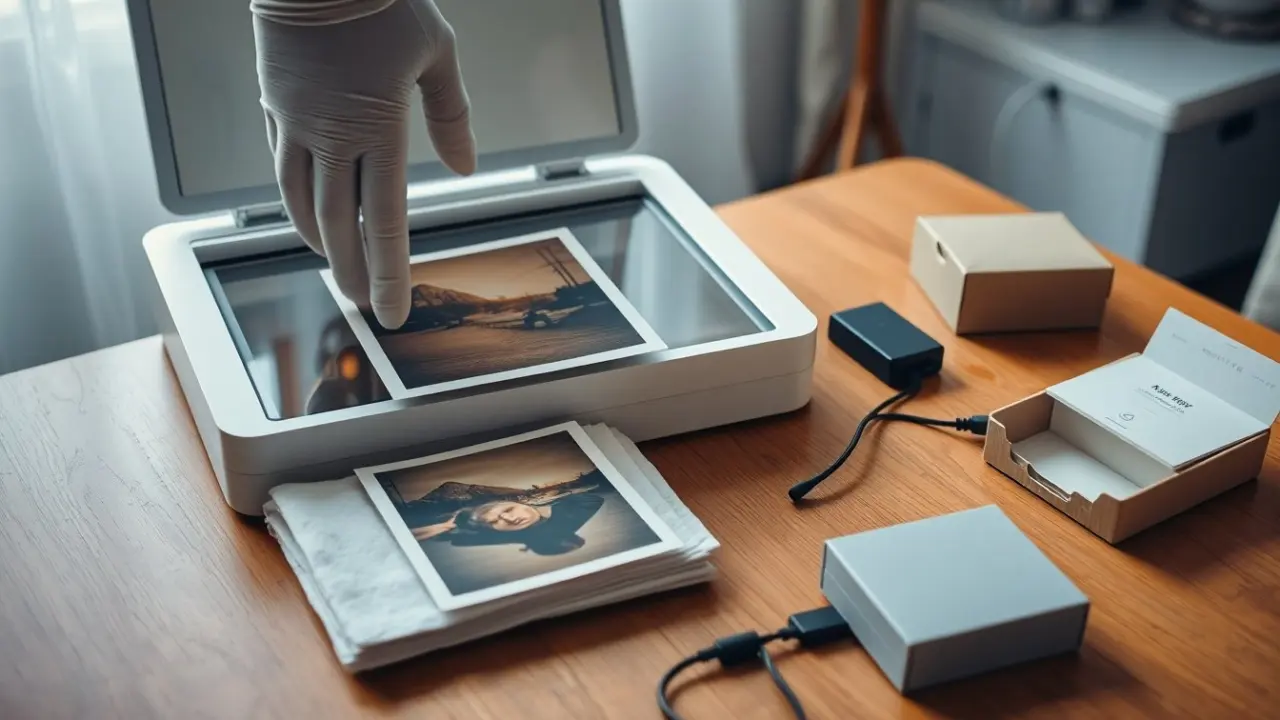
Flatbeds are the go-to for fragile, mounted, or irregularly sized photos. They allow for precise placement and higher-quality scans. Always place photos face down, use the preview to frame, and scan at 600 DPI for archival copies. Flatbeds may pick up dust, so frequent cleaning is important.
Sheet-fed scanners
Sheet-fed scanners excel at speed for loose, uniform photos. They’re efficient for hundreds of prints but can damage brittle edges. Use sheet-fed when photos are in good condition and the priority is throughput: set 300–600 DPI depending on final use.
Phone scanning
Phone apps are best for speed and on-the-go sharing. To improve results, use natural diffuse light, hold the phone parallel to the image, and let the app auto-correct perspective. For important photos, follow up with a higher-resolution flatbed scan when possible.
Post-Scan Editing, Organization, Backup, And Preservation Best Practices
After scanning, the work shifts to making files usable, searchable, and safe.
- Editing: Use non-destructive tools when possible. Crop, straighten, and adjust exposure first: then run gentle color correction and noise reduction. For torn or heavily faded photos, selective retouching can fix scratches and restore detail, keep an unedited master copy.
- File naming and metadata: Adopt a consistent naming scheme such as YYYY-MM-DD_Event_Person and embed metadata (keywords, location, copyright) using photo library software. Consistency makes searching and batch operations far easier.
- Organization: Create a folder hierarchy that reflects how people think, by year, event, or person. Use a photo manager that supports tags and facial recognition for fast retrieval. Keep bulk imports grouped and cull duplicates early.
- Backup strategy: Carry out the 3-2-1 backup: three copies total, on two different storage types (local drive and external SSD or NAS), plus one offsite copy (cloud storage or physical offsite drive). Test restores periodically to ensure backups are usable.
- Preservation of originals: Store prints in archival sleeves, away from sunlight and in a stable, cool environment. Label storage boxes clearly and avoid adhesives or writing on the photo surface. For irreplaceable images, consider digitization services that return images on archival media and include a preservation consultation.
Bold two small practices, metadata entry and the 3-2-1 backup, and treat them as mandatory steps in a workflow. They may feel tedious but they prevent loss and make years of browsing enjoyable and efficient.
Frequently Asked Questions About How to Scan Photos
What is the best resolution for scanning photos to preserve quality?
For archival-quality photo scans, 600 DPI is recommended to capture fine details, especially for small prints or cropping. For everyday sharing or prints, 300 DPI is usually sufficient and keeps file sizes manageable.
How do I prepare photos before scanning them?
Inspect photos for dust, tears, or curled edges. Gently separate stuck photos, flatten curled ones under a heavy book for a few hours, and clean both the photo and scanner glass with a microfiber cloth and compressed air before scanning.
When should I use a flatbed scanner versus a sheet-fed or phone scanner?
Use flatbed scanners for fragile, mounted, or irregular-sized photos needing high-quality scans. Sheet-fed scanners are ideal for large volumes of loose, uniform photos in good condition. Phone scanning apps suit quick sharing and on-the-go digitizing but may lack archival quality.
How can I ensure my scanned photos are safe and organized after scanning?
Immediately add metadata like dates and event names to scanned files, use a consistent naming scheme, organize photos into folders by year or event, and backup digital copies using the 3-2-1 rule: three copies, on two types of storage, with one offsite.
What are effective tips for getting high-quality scans using a phone?
Use natural, diffuse lighting to avoid glare, hold your phone parallel to the photo, and rely on scanning apps that auto-correct perspective and color. For important images, follow up with a higher-resolution flatbed scan if possible.
Why is the 3-2-1 backup rule important for scanned photos?
The 3-2-1 backup rule ensures your digital photos are safe by keeping three copies on two different types of storage media plus one offsite copy. This protects against data loss from hardware failure, theft, or disasters.